The beginning
We wanted something simple: a place to meet, talk, and spend time together online. But in Turkey, even joining a conversation can become a technical problem. Discord was blocked in October 2024, putting a familiar gathering place behind a connection that no longer worked normally. OONI documented the blocking across multiple Turkish networks.
“Just use a VPN” sounds easy until the workaround is blocked too. Internet service providers implementing restrictions can block VPN servers and detect and block VPN traffic. For an ordinary user, that can mean trying different apps, changing settings, and troubleshooting failed connections before they can even say hello. Freedom House documents these VPN access restrictions in Turkey.
That was the problem behind World. We needed a server of our own, and a place people could reach through their browser without asking everyone to become their own network administrator. The goal was straightforward: open a link, choose a name, and join your friends.
On 26 September 2026 at 10:14:22, Cafer and Caner made their first visit. For a project built around spending time together, their arrival was a milestone worth recording: friends were beginning to use the place we were building.
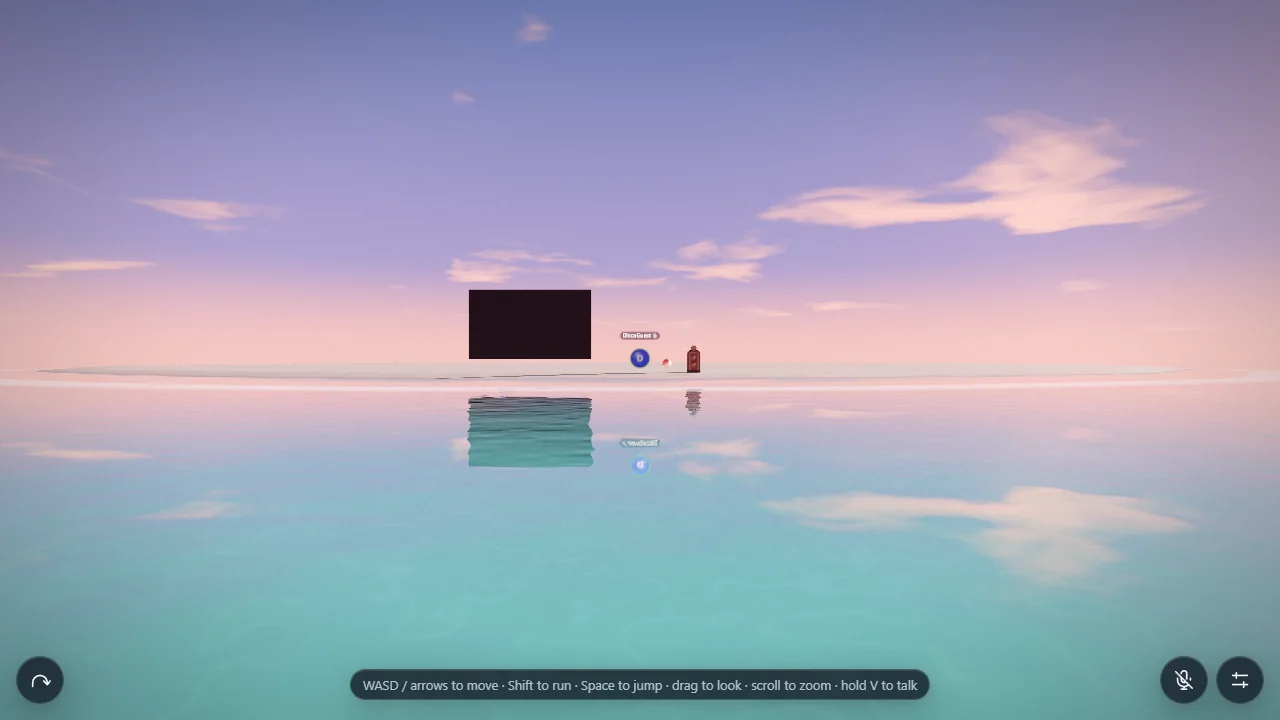
Once we started building that place, it became an island. A stretch of sand gained a sky and a reflective sea. Then came visitor bubbles, nearby voices, pictures, a cinema, and lights for a party. Each addition gave people another reason to stay. The shaders and features below grew around that original need: making it easier to be together.
The development timeline
One detail at a time.
Every shader, interaction, and feature has its own entry. Follow the dates, or choose a milestone from the contents.
Development dates: 25–28 September 2026. Screenshots begin on 27 September and sometimes illustrate earlier work. Dates record development, not production releases. Cafer and Caner’s first-visit timestamp was supplied by the project owner.
Procedural island terrain
The first island was built from a deterministic heightfield: a grid describing ground height at each location. Rendering and movement use the terrain to agree on where the ground is. The early landscape included a lagoon, reef, dunes, and scattered props. Later that day, the dream-mirror redesign replaced this arrangement with a flatter island approximately 200 metres across, preserving a shallow wading area and a boundary against deeper water.
Desktop movement
Keyboard movement and a third-person camera made the terrain explorable. The camera can orbit the visitor while movement remains constrained by the island and wading limits. Later camera work added stronger ground and water clearance checks: the camera moves closer when obstructed and eases back outward once the view is clear.
Touch movement
Touch controls made the same island accessible from phones. Mobile visitors share the world with desktop visitors, rather than entering a separate mobile environment. Camera interaction and movement needed to coexist with on-screen controls; subsequent interface work refined portrait layouts and reduced the space occupied by menus.
The first ocean shader
The early ocean used Gerstner waves, a mathematical model that displaces a surface into rolling wave shapes. Shore foam and sky reflections helped connect it to the island. This was a distinct historical rendering stage. The dream-mirror redesign subsequently changed the ocean toward much calmer water, and later development introduced a separate simulation for the shoreline.
The first terrain material
The original terrain renderer blended sand, dry grass, and rock materials across the heightfield. This technique, often called texture splatting, allows several surface materials to share one terrain mesh. Once the visual direction changed, the mixed landscape gave way to a dedicated sand material with finer control over dry, damp, and submerged areas.
Procedural sky gradient
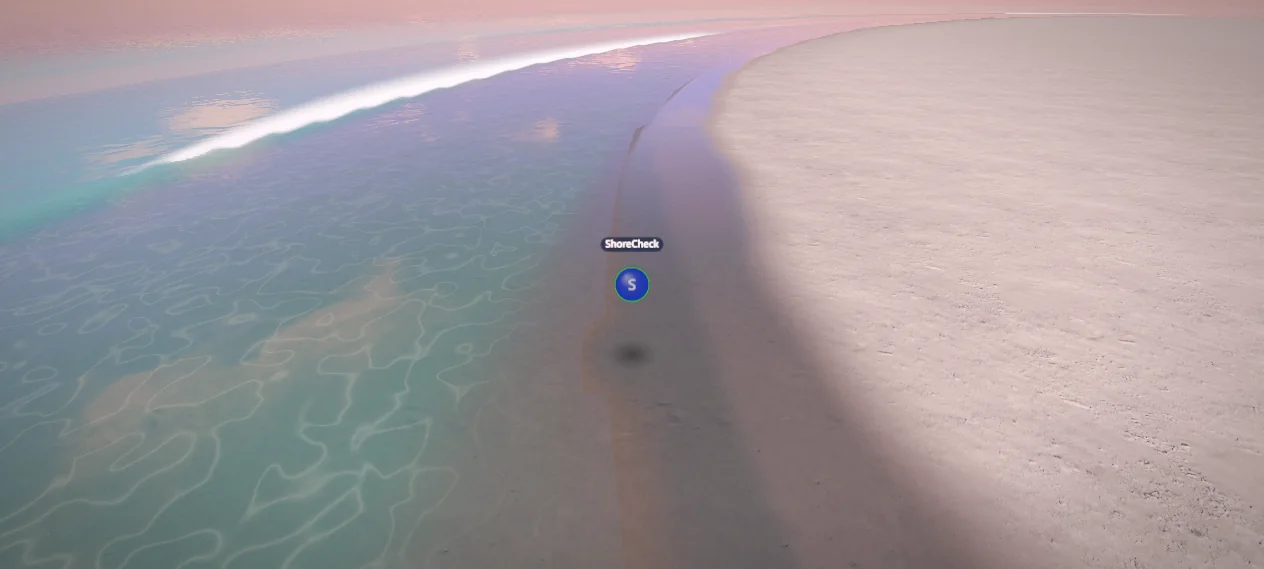
The dream-mirror sky replaced the earlier image-based sky approach with a shared GLSL sky function. It blends separate horizon, middle-sky, and zenith colours according to viewing direction, then adds a directional glow around the sun. The same sky description also contributes to the water and environment lighting. This keeps the visible sky and the illumination of the island visually connected.
Painted cloud shader
The first procedural clouds use several scales of noise, with additional noise warping the sampling coordinates so the result does not look like a regular pattern. The shader projects this pattern onto an apparent high cloud layer, moves it with time, and fades it toward the horizon. Coverage controls which parts become clouds; density controls their opacity. This lighter method remains the Low-quality cloud path after volumetric clouds arrive.
Sun disc and halo
The sun is drawn from the alignment between the view direction and the sun direction. A narrow threshold forms the disc, while broader falloffs create the surrounding glow. Its contribution fades as the sun crosses below the horizon. On Low, the shader supplies a wider halo directly because that tier does not run the separate bloom effect.
Moon rendering
The moon uses its own direction, a soft disc, and surrounding glow. Procedural noise varies brightness across the face, giving the disc surface variation without loading a moon photograph. The moon's visibility follows the sky mood. Its lighting direction also participates in nighttime scene illumination; the visible moon and the lighting are coordinated parts of the atmosphere.
Sky-derived environment lighting
The atmosphere is captured into an environment map used by reflective and physically based materials. The lighting capture excludes the sun disc because a directional light already supplies the sun's direct illumination. Filtering the captured sky provides reflections appropriate to different material roughnesses. Later cloud work feeds the same cloud appearance into this capture, helping wet sand, metal, and glossy objects agree with the sky.
Planar ocean reflections
Medium and High render the scene again through a camera mirrored across sea level. A clipping plane excludes geometry below that plane, and the water projects the resulting image onto its surface. Surface normals distort the lookup slightly, so the reflection responds to ripples. Low avoids this additional scene render and evaluates reflected sky colour instead. This is a planar reflection technique, not general-purpose ray tracing.
Water colour and Fresnel shading
The water combines transmitted body colour with reflection according to viewing angle. Looking down reveals more of the water's depth colour; looking across the surface emphasizes reflections. The current shader uses a 2% normal-incidence reflectance and a fifth-power increase toward grazing angles. Depth also changes colour and opacity. September 28 adds a captured underwater scene to this existing combination, described separately below.
Fine water ripples
Small drifting noise layers perturb the water's surface normal, changing how it reflects light without requiring equally fine geometry. Separate drift offsets prevent the layers from moving as one obvious texture. Detail fades with distance and is skipped beyond its useful range. The September 28 sea-detail refinement adds spatial variation to ripple strength, producing patches of rougher and smoother water.
Water glitter
Water highlights combine a narrow reflection path toward the light with sparse, round sparkles. The sparkle shader places occasional soft discs inside world-space cells and changes their distribution over time. Pixel-footprint filtering keeps tiny glints from becoming harsh aliasing. Their size is capped, and brightness is compensated when a glint must widen to remain visible. Distance fading prevents the far ocean from becoming a noisy field of dots.
Horizon haze
The ocean blends toward the sky colour in the corresponding horizon direction. That colour includes the sun's glow, so a warm horizon produces a matching fade in the water. This avoids a visible join between a separately coloured sea fog and the sky. The result is the soft sea-to-sky transition central to the dream-mirror appearance.
Sand ripple normals
The sand shader creates wind-ripple patterns from two differently oriented wave trains. Noise changes their direction and strength across the beach, leaving some patches smoother. Finite differences estimate the pattern's slope and modify the lighting normal. The texture therefore catches light like shallow ridges without putting every ridge into the terrain mesh. The effect diminishes with distance and wetness.
Sand grain glints
Small world-space cells represent occasional reflective grains. Each receives a slightly different normal, and a sharp alignment test against the light and camera produces a brief glint. Glints are restricted to dry, exposed sand and fade with distance. Low-angle lighting strengthens them. They are separate from the water's sparkle effect and follow the orientation of the sandy surface.
Underwater caustic patterns
Two drifting, warped noise fields create bright intersections on submerged sand. Their contribution depends on depth, light intensity, and the light's height above the horizon. The pattern fades outside the shallow range and at a distance where fine lines would alias. This is an artistic approximation of caustic illumination; it does not trace individual light rays through the moving water.
HDR bloom
Bloom spreads the brightest parts of the rendered scene into neighbouring pixels, giving strong highlights a soft glow. It operates before the final display conversion. Medium uses a reduced-resolution bloom buffer, while High uses the full configured scale; Low skips bloom. Later disco materials deliberately produce bright values so their lights and reflective highlights participate in this existing effect.
Screen-space light shafts
The High-quality light-shaft pass samples the rendered image along lines toward the sun's screen position. Forty-eight samples accumulate bright contributions with a decaying weight. A small per-pixel sampling offset softens repeated bands, and the effect is limited to the region where shafts can reach the screen. It is a radial screen-space effect, separate from the volumetric integration later used for disco beams.
Tone mapping
The final pass uses AgX tone mapping to fit the scene's high dynamic range into a displayable image, followed by sRGB conversion. This gives bright skies, reflective water, and emissive effects a consistent output path. It also means that a material's numerical brightness is not simply its final displayed colour: exposure and tone mapping affect the result.
Colour grading
After tone mapping, mood-dependent lift, gamma, gain, and saturation adjust the final image. These controls shape dark areas, midtones, highlights, and colour intensity independently of the objects themselves. Dawn, daylight, sunset, and twilight can therefore have different overall character while sharing the same scene materials.
Vignette
A screen-space falloff gently darkens the outer image. The calculation depends on distance from the image centre and uses a smooth transition, avoiding a hard frame. It belongs to the final presentation pass rather than the world's lighting: moving an object toward the edge changes this contribution without changing the object's physical material.
Film grain
The final shader adds a subtle time-varying noise contribution in display space. It is independent of sand grit, cloud noise, and foam texture; those describe surfaces or volumes, whereas this grain affects the completed image. Keeping the amplitude small adds texture without overwhelming the sky's smooth colour gradients.
Soft visitor shadows
Shadow refinements softened the edges of sun- and moon-cast shadows and improved how bubbles sit above the beach. Medium and High use variance shadow maps with different resolutions; Low retains a simpler contact blob. The contact indication also fades in deeper water. This gives visitors a readable position without requiring the full shadow system on every device.
Graphics quality selection
Low, Medium, and High control pixel density, terrain detail, reflections, shadows, and post-processing. Automatic selection uses device hints, and sustained slow rendering can trigger a step down. Later features extend these same tiers: cloud samples, refraction, crest overlays, spray, and disco detail all follow the selected quality. The project scales individual rendering costs while retaining one shared world.
Cafer and Caner's first visit
Cafer and Caner made their first visit on 26/09/2026 at 10:14:22. Their arrival gives the development timeline a personal milestone alongside the rendering and technical work: the project was becoming a place for friends to meet. The date and time were supplied by the project owner; no screenshot of this visit is included.
Uploaded profile pictures
Uploaded pictures replaced the originally proposed GIF-provider integration. Visitors can crop and upload a picture for their circular bubble, with initials as the fallback. Changes propagate to other visitors through participant state. The image remains a personal identity feature, distinct from owner-placed pictures positioned in the landscape.
Spatial voice
Voice is positioned at each visitor's bubble and attenuated with distance. The client selects up to eight nearby microphone subscriptions, beginning subscription within 25 metres and retaining it until beyond 30 metres to avoid rapid connection changes at the boundary. An additional fade makes audio inaudible by 25 metres. Directional panning follows the camera orientation, making the location of a speaker audible through headphones.
Microphone modes
The microphone starts off. Visitors can enable push-to-talk or an always-on mode, with permission requested when needed. Push-to-talk uses V on desktop or the on-screen microphone control on touch. Permission failure leaves the visitor able to listen. Track lifecycle handling later improves recovery after device changes and avoids showing a microphone state that disagrees with the actual publication.
Personal mute and hide
Mute stops receiving a person's voice locally. Hide also removes their bubble from the viewer's scene. These are personal choices, remembered in that browser, rather than actions that remove someone for everyone. Later per-person volume sliders provide finer control while preserving the distinction between reducing volume and explicitly muting.
Reporting and moderation
Visitors gain reporting tools, while the owner can remove pictures, mute microphones, kick visitors, and manage bans. Service-side checks enforce access and moderation rather than relying on the visual interface alone. Later improvements keep ban controls usable for offline visitors and make changes to ban duration predictable.
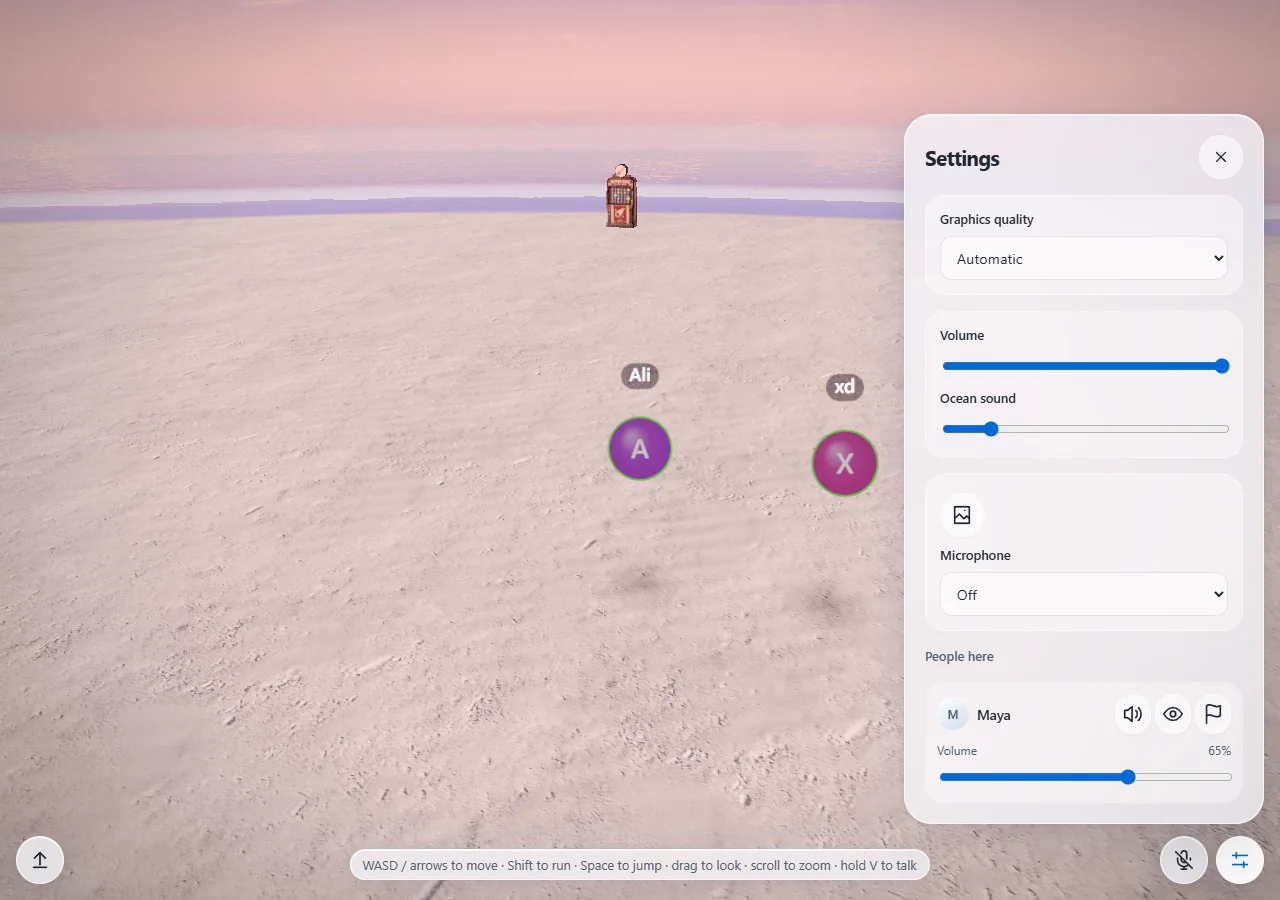
Image panels in the world
Owner-placed images became persistent objects in the landscape. Panels support ordinary photos and transparent cut-outs, can stay fixed or face the viewer, and can show true colours or respond to sky lighting. Visitor clicks can enlarge an image with its caption or offer to open a link. Transparency-aware selection helps cut-outs behave according to their visible shape.
Image placement editor
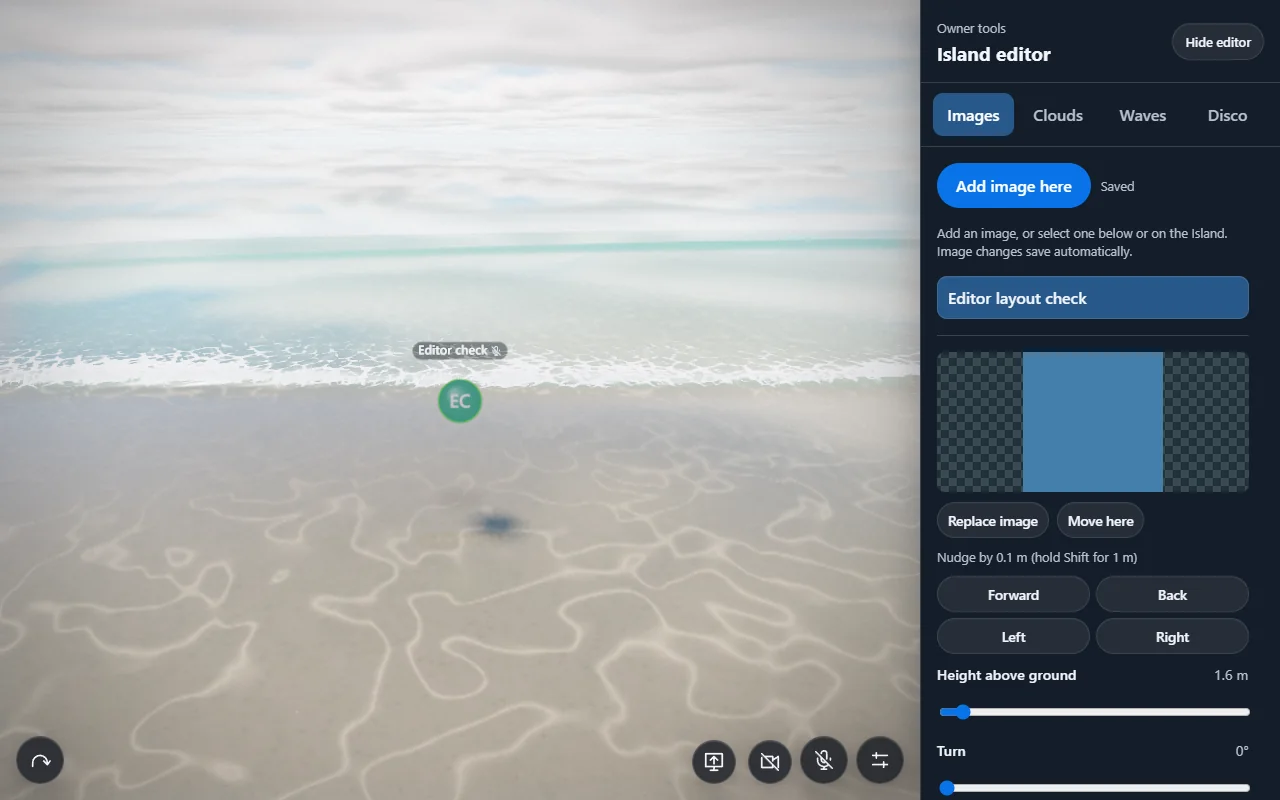
An authenticated in-world editor allows the owner to add an image near their current position, select it, and change its position, angle, and size. Replacement and deletion are supported. Local changes preview immediately and save automatically, with status handling for rejected or pending updates. Live updates bring other visitors' copies of the scene into agreement.
GPU shallow-water simulation
The shoreline gained a simulation on a ring-shaped grid surrounding the coast. GPU texture passes evolve water depth, two horizontal velocity components, and foam. A matching CPU reference model supports comparisons and stability checks. Incoming wave scheduling and seabed depth produce run-up and breaking behaviour. This is a shallow-water solver; it does not represent fully three-dimensional overturning water.
Procedural foam texture
A shader generates the foam pattern locally into a texture. Two scales of Worley cell-edge noise create lace-like boundaries, while smaller dots suggest individual bubbles. The texture includes mipmaps so distant foam can filter down smoothly. Foam quantity comes from the simulation; this generated pattern supplies the visible structure within that coverage.
Flowing foam
Foam texture coordinates move according to the simulated water flow. Two overlapping animation phases blend while their offsets reset, preventing the pattern from stretching indefinitely or visibly snapping back. Coverage and colour respond to the amount of foam, making strongly aerated areas whiter and denser than thin patches. This makes foam follow the moving water rather than slide on an unrelated animation.
Wave-face scattering
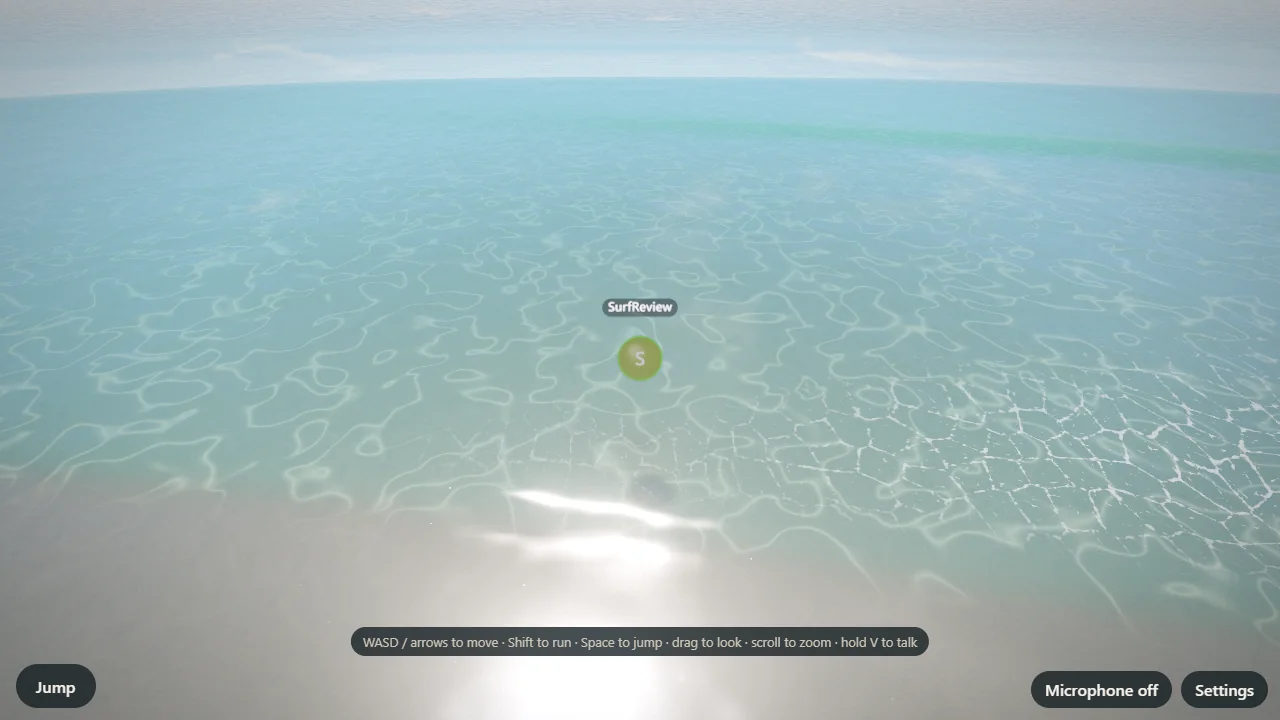
The surf shader detects wave faces oriented toward the viewer and standing above the still sea. These areas receive a light turquoise contribution, strengthened when the light is behind the wave. It suggests light passing through a thin crest. The effect is an inexpensive shading approximation layered onto the simulated surface, separate from the later underwater refraction capture.
Thin water on sand
Very shallow simulated water transitions into a film rendered by the sand material. The surf surface fades across a depth range of roughly 0.5–2.5 centimetres while the sand supplies the glossy film below it. This avoids a hard seam or exposed water-mesh edge at the moving shoreline. The film lowers roughness strongly enough to reflect the sky more clearly than merely damp sand.
Wetness memory
The simulation keeps wetness after water retreats, allowing the beach to remain darker and smoother between waves. Sand colour and roughness respond to that stored value, rather than switching immediately back to dry. The September 28 refinement uses a 28-second drying parameter and reserves the strongest gloss for freshly wet areas. The distinction between dampness and a thin water film prevents the entire beach edge from looking uniformly polished.
Stranded foam
Foam can remain on sand after the water withdraws. The sand material reads this residue separately from floating foam. The September 28 refinement gives it a stationary world-space pattern and a five-second fade, so it no longer drifts as if still being carried by water. This small difference helps the retreating wave leave a visible trace.
Visitor wakes
Visitors moving through the shallows disturb the simulated water and can generate foam. The resulting wake belongs to the same shoreline system as incoming surf. This connects movement to the environment visually: a visitor affects the water they pass through. It is separate from the bubble's decorative movement and from the beach ball's later flotation physics.
Surf geometry detail
The shoreline is drawn in patches using several mesh spacings. Nearby patches carry more geometric detail, and transitions morph between levels to reduce visible popping. Patches outside the view are culled. This makes it practical to cover the coast without drawing every section at the closest-view resolution.
Surf-to-ocean transition
The simulated shoreline and the outer ocean overlap through a controlled transition band. The ocean fades in underneath before the surf fades away, avoiding a gap between independently rendered surfaces. The documented bands place the ocean's fade around 40–44 metres offshore and the surf's fade around 44–48 metres. Both surfaces share water-shading code so colour and reflection remain consistent.
Glass interface styling
The controls evolved toward translucent, blurred surfaces with rounded edges, subtle highlights, and consistent icons. This is primarily browser interface styling, not a shader on the island geometry. Compact controls leave more of the world visible. Reduced-transparency and higher-contrast preferences receive appropriate alternatives, and accessible labels explain icon-only controls.
Visitor status indicators
Microphone-off, away, and locally muted indicators appear beside visitor names and in the people list. Their values follow actual connection and publication state. Away status updates when the page loses focus or becomes hidden and resynchronizes after reconnecting. The indicators make a quiet or unresponsive visitor easier to interpret.
Beach cinema
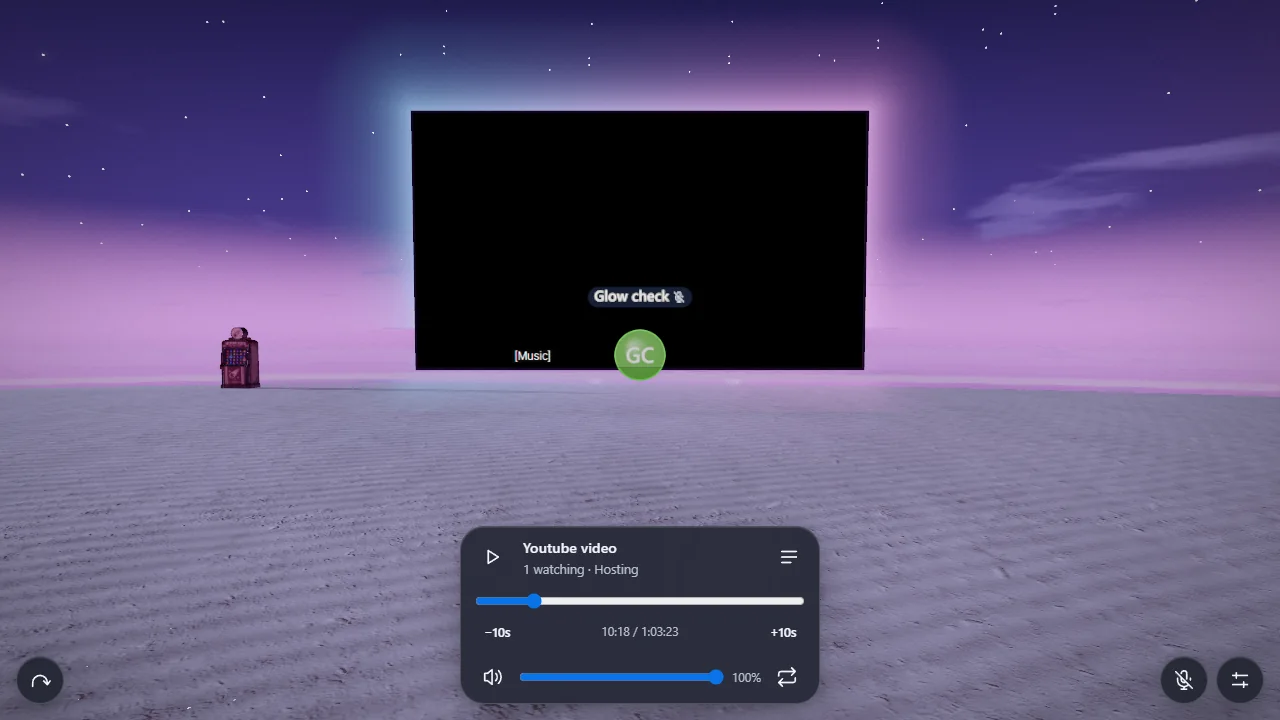
A permanent screen turns the south beach into a gathering place. Approaching within 12 metres joins the screening and reveals controls; moving beyond 16 metres leaves it and mutes local playback. The different distances prevent repeated joining and leaving near a single boundary. Native video embeds sit on a CSS3D plane aligned with the WebGL camera, preserving perspective as visitors walk around it.
Cinema foreground compositing
Native embeds do not participate in the WebGL depth buffer. A separate transparent foreground pass therefore draws bubbles, names, and speech halos that should appear in front of the screen. Terrain and opaque-object checks can hide the screen as a whole. This resolves an important composition problem: a browser video element should not simply cover a visitor standing closer to the camera.
Cinema frame glow
A shader calculates distance from the screen's rectangular boundary and combines two exponential falloffs to produce a soft halo. The glow follows the screen's size and changes gradually between cyan, blue, and lilac. The palette follows playback time and dims when playback pauses or the queue is empty. It is ambient lighting, not an analysis of the video's pixels.
Cinema light on sand
A separate ground-following mesh adds a soft colour wash to the beach in front of the screen. Its shader fades the contribution at the sides and with distance from the screen, while blending the left and right palette colours. Separating this surface from the frame halo lets the glow occupy the sand without pretending that the embed emits physically simulated light into the whole scene.
Beach-ball material
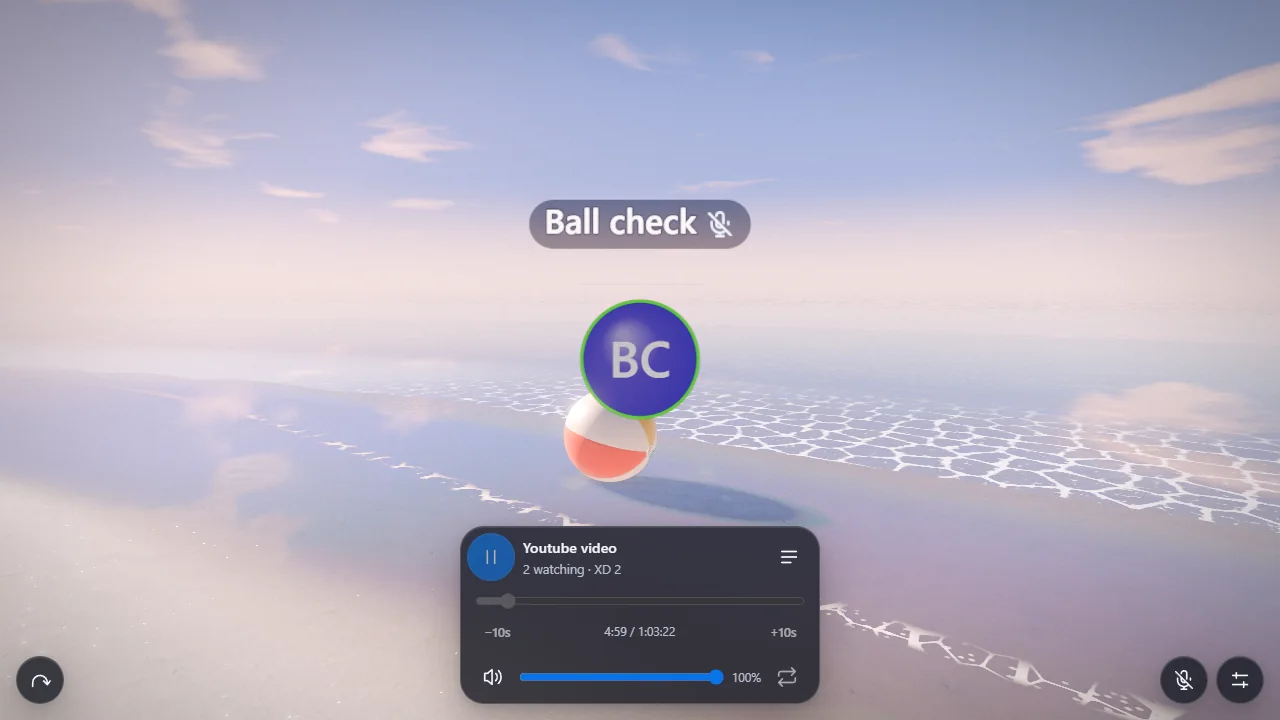
The ball uses a physically based vinyl material with a clearcoat layer, fine bump grain, and sky reflections. Six coloured panels are generated into a canvas texture. Weld seams are slightly recessed in the sphere geometry, while pole patches and an inflation valve add physical detail. The ball is 96 centimetres in diameter. Its finish combines material shading with geometry rather than relying on a single custom fragment shader.
Richer procedural stars
Night-sky work adds two star layers with varied size, brightness, and colour. Stereographic coordinates avoid a longitude seam and a pinched pole. Pixel-footprint filtering stabilizes tiny stars while the camera moves, and slow twinkling changes brightness without extinguishing them. Star visibility itself eases during lighting transitions, avoiding an abrupt switch between a full star field and none.
Galactic haze
A tilted band of directional noise adds irregular star-cloud brightness and a broken dust lane behind the individual stars. Its direction-space construction keeps the pattern attached to the sky as the camera turns. Moon glare reduces the visibility of nearby stars and the much fainter band. This is a separate, low-frequency layer rather than additional bright star points.
Disco night transition
Starting the owner-controlled event blends the environment into a deep blue night over four seconds. The sky, lighting, water reflections, and bloom response follow the change together. Stopping the event returns to the current ordinary sky cycle. Reduced-motion settings can replace the transition with an immediate state change.
Disco arrival animation
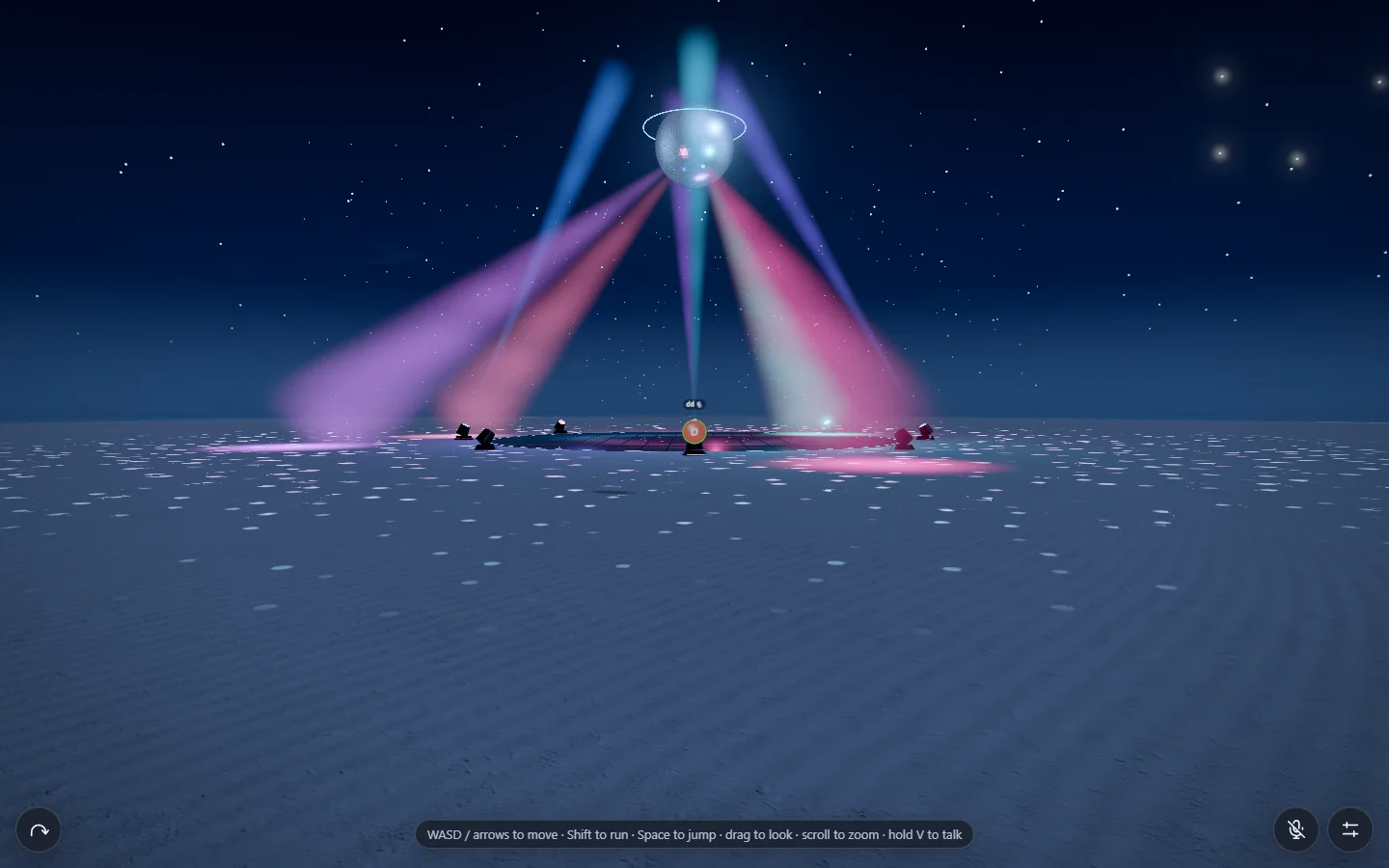
The mirror ball descends from 125 metres to its 19-metre operating height over 18 seconds. Stage lighting begins rising after seven seconds. The animation uses the event's shared age, so a late visitor sees the ball at the current stage of its descent. Arrival timing is independent of the shader effects that make the settled disco visible.
Volumetric disco beams
Each beam integrates haze along the camera ray inside a bounded cone. Intersection calculations restrict sampling to the relevant volume, avoiding wasted samples through empty space. A soft radial density profile removes a solid-triangle appearance, and gentle variation gives the haze structure. Low, Medium, and High use 12, 16, and 24 samples per beam, with 4, 6, and 8 beams respectively.
Disco light pools
Each fixture has a soft footprint on the ground. A radial shader fades from the centre using an exponential profile and removes the hard outer boundary. Additive blending lets the colour brighten the underlying scene without writing an opaque patch into the depth buffer. These footprints complement the visible airborne beams.
Mirror-ball facet highlights
Approximately 2,000 instanced mirror tiles form the ball's reflective surface. Their material combines environment reflections with sharp, view-dependent highlights calculated from the actual fixture positions and colours. The highlights also use the fixtures' audio-driven power values. The effect connects the visible lights to the sparkle on the ball, while remaining an approximation rather than tracing every reflected beam.
Projected mirror dots
A procedural shader places scattered soft dots on a ground-following surface around the dance floor. The pattern rotates over time, varies dot size, and fades across its intended radius. Pixel-aware edge smoothing reduces jagged speckles. These are stylized projected light patterns, separate from the view-dependent glints on the mirror tiles.
Illuminated disco floor
A dark, clear-coated material receives a shader extension that draws tiled emissive panels, moving radial waves, and bright circular rims. The geometry follows the terrain, keeping the floor attached to its chosen location. Time animates the pattern, while audio bands alter panel brightness and rim intensity. The underlying material still contributes reflections and surface roughness.
Audio-reactive disco
The owner can explicitly connect captured tab audio to an analyser. Three frequency-band intensities drive different parts of the lighting, including the floor, beams, and mirror highlights. Only those intensity values are shared; captured audio and screen frames stay local to this analysis path. Missing updates fade toward silence, while ordinary choreography continues without an audio connection.
Webcam bubbles
An optional webcam replaces the profile image inside a visitor's circular bubble. The local preview is mirrored while other visitors see the normal camera image. Video subscriptions are limited to nearby visitors, and leaving or disabling the camera releases capture. Camera permission is requested only when the visitor chooses to enable it; microphone controls remain independent.
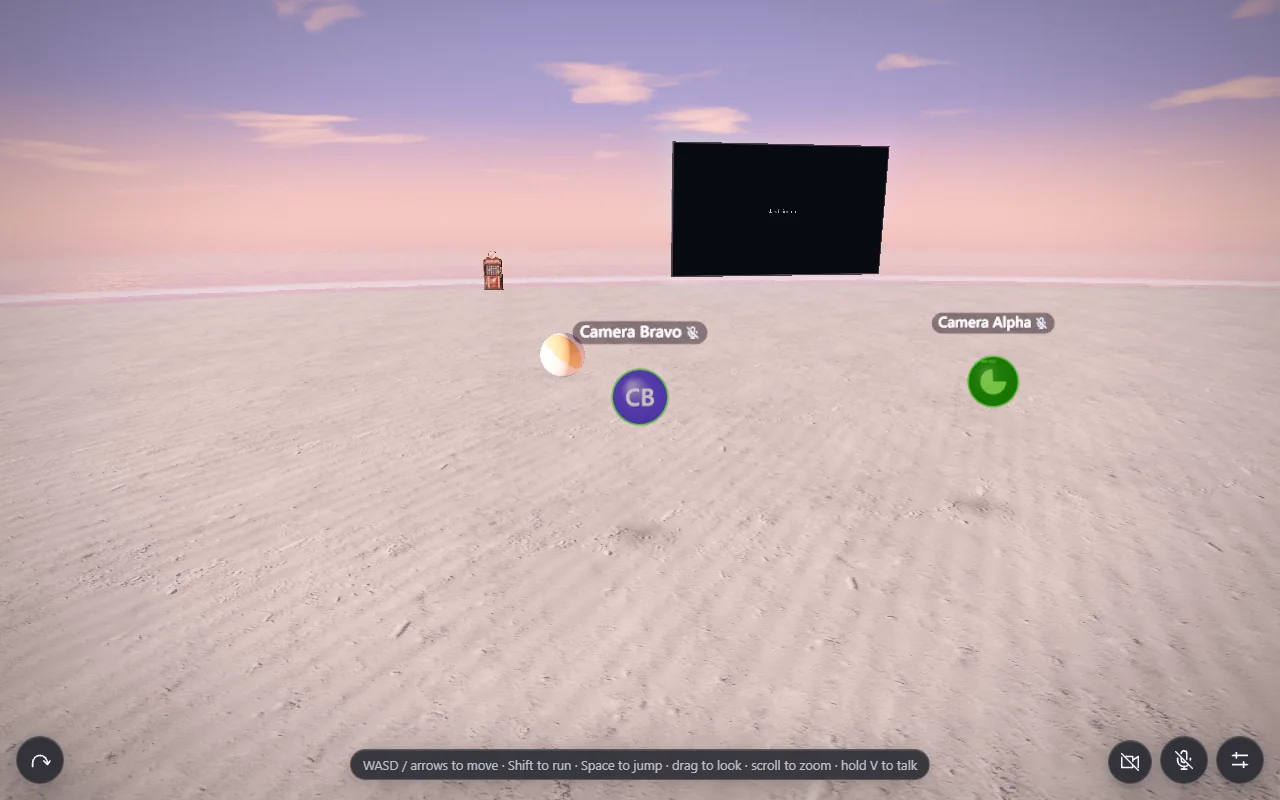
Floating screen sharing
Screen sharing places a rounded display above the visitor's bubble while preserving the source aspect ratio. It can run alongside the webcam. The browser's picker determines which tab, window, or display is captured. Optional shared audio follows its own track, while distance, volume, and personal mute choices control what other visitors hear.
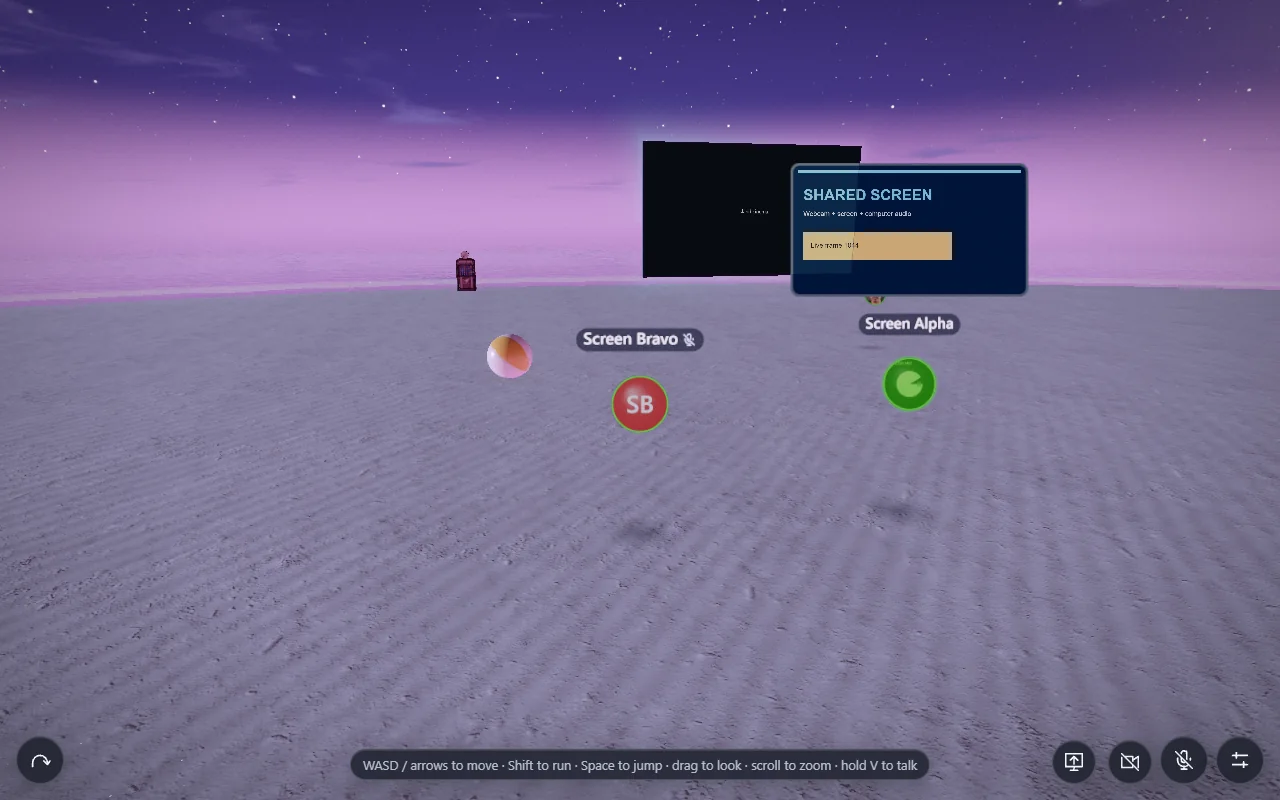
Screen sharing through the cinema
The cinema host can move their capture from the floating presentation into the island's large screen. The video remains there when the host walks away, with sound attenuated from the cinema location. The existing queue pauses and remains available when the share ends. Host authorization and cleanup are enforced by the service, including release after a lost connection.
Speech halo shader
The speech indicator develops into a filled green shape attached to the bubble. A shader combines broad, medium, and fine angular lobes driven by low, middle, and high speech-frequency energy. Overall loudness expands the contour, while a short onset impulse catches the start of syllables. An 8 ms attack and 55 ms release make it responsive. The contour is generated in the shader rather than replayed from an animation texture.
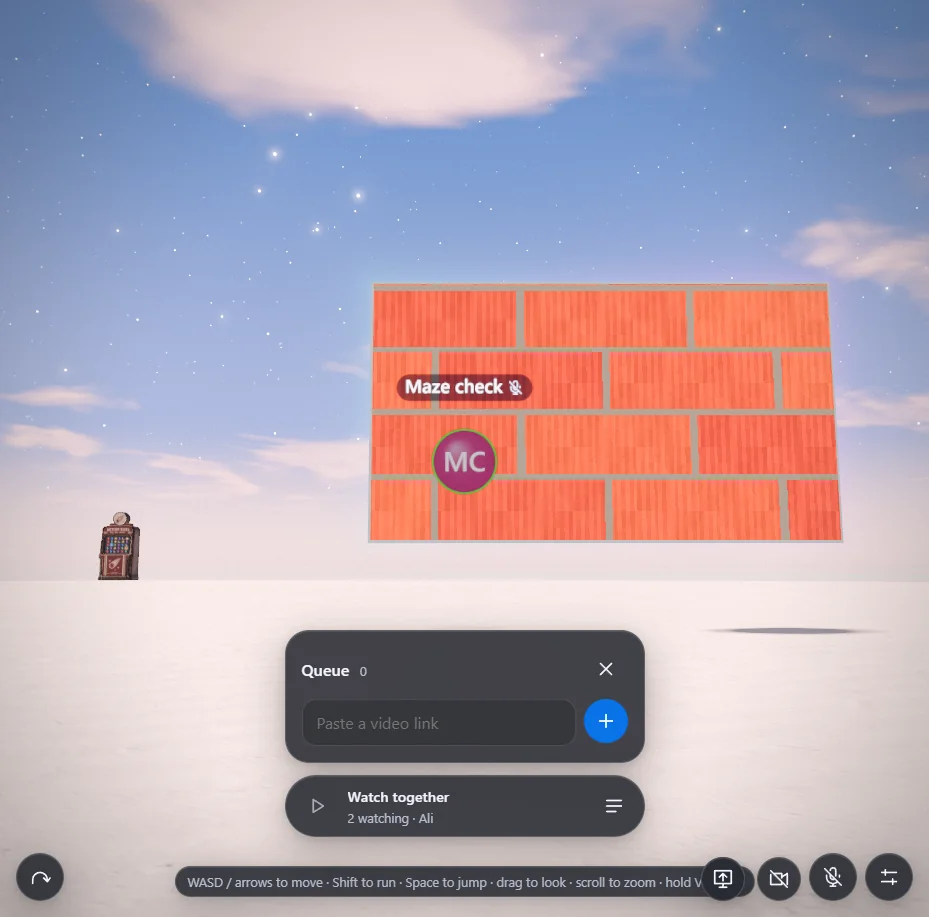
Cinema maze screensaver
An idle cinema displays a Windows 95-style maze with brick corridors and an automatically wandering camera. The maze is rendered by a lightweight 320 × 180 raycaster at up to 15 fps, then displayed on the screen. This is its own small rendering system rather than part of the terrain shader. It pauses when unnecessary and gives way to video or screen sharing.
Warmer sand colour
The sand material moves away from a uniformly pale treatment toward a warmer mineral tone mixed with its base texture. Broad procedural variation changes brightness across the beach. Distant texture sampling blends toward a heavily filtered value to suppress visible tiling. The material keeps subtle environmental colour influence without letting every sky mood recolour the beach excessively.
Sand grit
Sparse world-space grit adds small dark grains or shell-like marks to nearby sand. The shader measures the pixel footprint and softens their edges, then fades the feature with distance. This prevents fine detail from becoming unstable noise when viewed farther away. Grit changes the surface colour; the earlier sand glints remain a separate light-reflection effect.
Damp retreat marks
Fine irregular bands appear in damp sand between wave uprushes. Their strength depends on wetness and declines where sand is freshly covered or fully underwater. Anti-aliasing follows the projected size of the pattern. These marks add a trace of water retreat without being a full sediment simulation or a permanent record of every individual wave.
Coastline and seabed shape
The coast gains small scallops, a low beach ridge, and a broad submerged sandbar. The ridge and bar are each only about 3.5 centimetres high, adding local variation without making large obstacles. The terrain and water simulation use consistent coastline and seabed definitions, so visible sand and simulated water agree about where the shore lies.
Smooth shoreline geometry
Monotone cubic interpolation replaces more visibly stepped terrain sampling. Sand normals are derived from the terrain gradient rather than averaged triangle faces. Medium uses 0.75-metre sand spacing and High 0.5 metres, while Low retains 2 metres. This particularly improves the glossy beach edge, where reflections make changes in slope easy to notice.
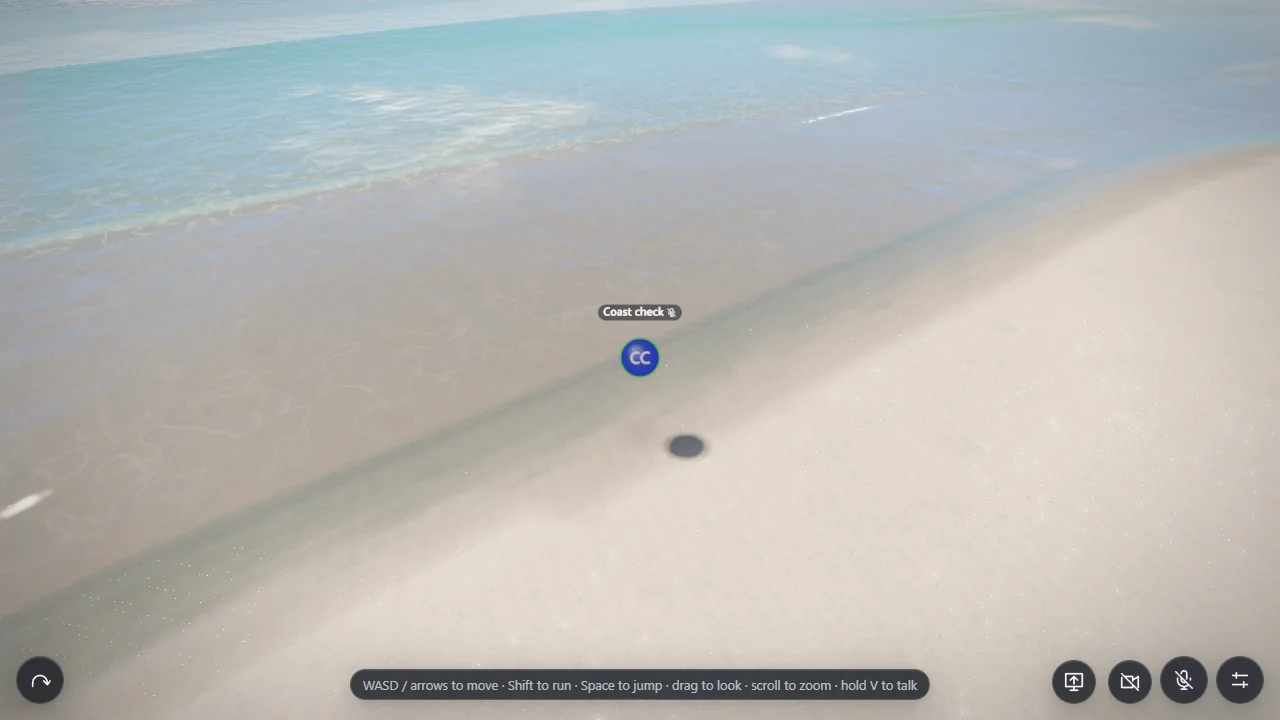
Crossing offshore swells
Three gentle swells travel in different directions, with their combined maximum amplitude kept below 20 centimetres. They give the open water more shape while preserving the island's calm scale. CPU flotation and GPU displacement share the same constants, helping floating objects stay visually attached to the rendered surface.
Wind-shaped water roughness
Procedural noise aligned with a wind direction produces moving patches of stronger ripple detail and smoother slicks. This varies the reflection texture across the sea instead of treating the entire surface as equally rough. The effect modifies fine surface response independently of the larger crossing swells.
Underwater refraction capture
Medium and High capture registered submerged terrain and props into a colour texture and a depth texture. The water shader projects into that capture and offsets the lookup using the surface normal. Reconstructing the sampled seabed position allows it to reject invalid samples. Screen edges and missing information blend into the simpler depth-colour fallback. Medium captures at half drawing-buffer dimensions; High uses three-quarters. Low skips this pass.
Water colour absorption
The refraction shader estimates the distance travelled through water and applies separate exponential attenuation to red, green, and blue. Red fades fastest, shifting deeper transmitted views toward blue and green. The lost transmission is blended toward the water's body colour. Absorption is applied in the water shader rather than baked into the captured sand as well, avoiding a duplicated colour filter.
Simulated crest detection
A small 512 × 3 GPU target searches three overlapping nearshore bands for crests in the actual displayed simulation. Each coastal station records a candidate crest and its visual strength. This supplies locations for the breaking-water overlays. Detecting the existing wave is important: an independently animated crest could visibly slide away from the water beneath it.
Curling water sheets
Curved ribbons attach to detected crests and suggest a thin lip folding over the wave. Coverage varies along the crest and fades at tips, discontinuities, band boundaries, and distance. Medium and High display the effect. These sheets are visual geometry layered onto the shallow-water solver; they do not add overturning fluid dynamics or extra water mass.
Crest tracking stability
The detector retains previous crest data and smooths position and coverage independently. Position response is about 120 ms and coverage response about 280 ms, with bounded travel. If detection changes to another wave, the old lip fades before the replacement appears. Full-float history targets avoid coarse position steps, and neighbouring samples blend where they belong to the same crest.
Breaking-wave spray
High quality adds small point particles emitted around detected crests. Their vertex shader follows short ballistic arcs with gravity, varies their lifetimes, and scales their apparent size with distance. Opacity fades through each particle's life and with viewing distance. The spray is decorative: it does not feed water or new foam back into the simulation.
Volumetric cloud density
Medium and High replace the painted cloud layer with ray-marched three-dimensional density. A generated 128³ texture stores noise components used for broad mass, rounded billows, and detail. Warping and additional samples break up uniform shapes. A vertical density profile gives clouds a base and a thinning top, while varied local heights prevent every cloud from having the same silhouette.
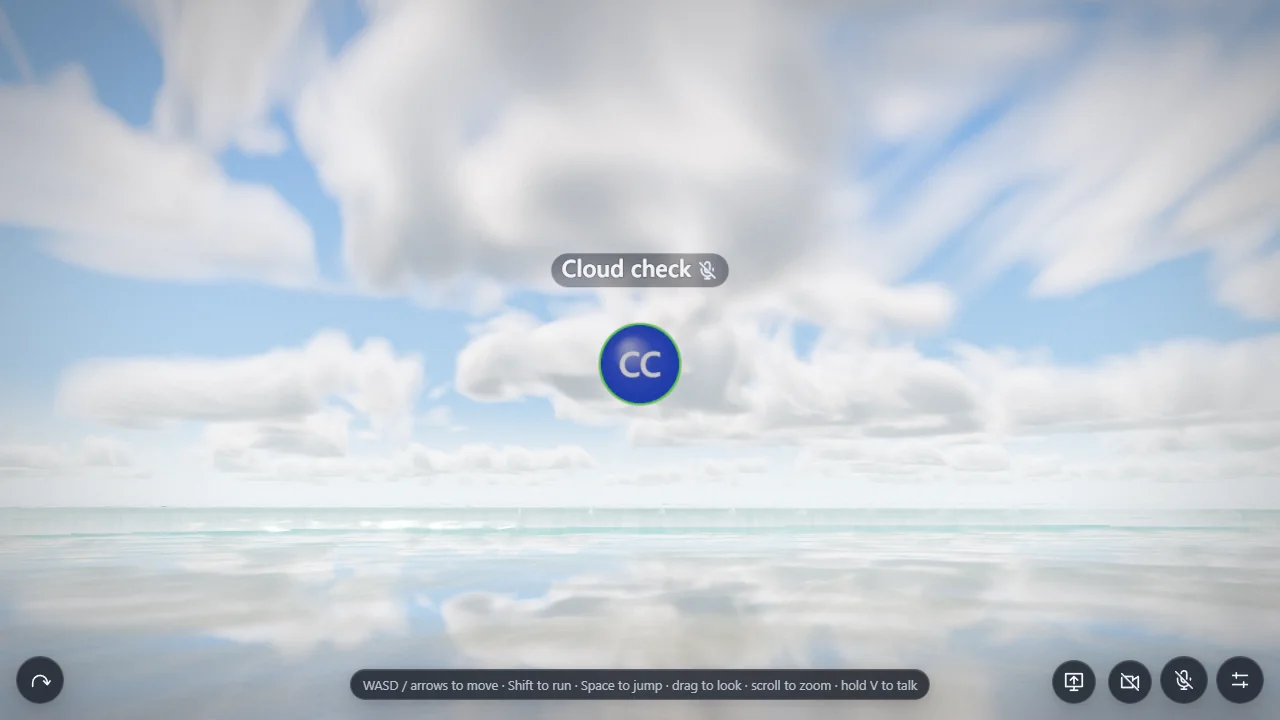
Cloud weather distribution
A separate 512 × 512 weather texture spans approximately 131 kilometres in world space. It controls where cloud banks occur and varies their shape and height. This larger field breaks up repetition from the smaller density volume. Its coverage channel is ranked so the control has a useful range, and a continuous fade near zero allows sparse wisps instead of suddenly exposing a full field of clouds.
Cloud erosion detail
Higher-frequency density samples subtract material from broad cloud masses. Different scales create irregular edges and finer wisps, while warped coordinates reduce an obvious repeated texture. Texture level-of-detail selection follows ray-step size, reducing aliasing without unnecessarily blurring detail that the samples can resolve. Erosion refines silhouettes independently of the large weather distribution.
Cloud lighting
At each useful density sample, four additional samples toward the light estimate how much cloud blocks direct illumination. Exponential attenuation darkens denser regions, while an approximate scattered-light contribution softens the result. Height-dependent ambient light, forward brightening toward the sun, and distance haze give the clouds shaded bases and brighter edges. This is an efficient approximation, not a full multiple-scattering atmospheric solver.
Cloud panorama rendering
The density march produces a directional panorama rather than retracing clouds independently for every final screen pixel. Medium uses 40 samples at 768 × 256; High uses 72 at 1536 × 512. The panorama stores accumulated cloud colour and remaining transmission, allowing it to composite over the existing sun, moon, and sky. Low continues using painted clouds.
Smooth cloud updates
Two predictive cloud panoramas are maintained roughly 0.2 seconds apart and blended continuously. This spreads the expensive ray-marching work across time while allowing visible wind drift to remain smooth. Fixed spatial jitter reduces sample banding without introducing fresh random sparkle each frame. The tradeoff is softer detail and approximate walking parallax compared with a full camera-dependent volumetric renderer.
Clouds in reflections and lighting
The sky dome, water sky shading, and environment-lighting capture consume the same cloud result. Consequently, a cloud bank visible overhead can also influence reflected sky colour and material lighting. This integration avoids separate cloud patterns in the sky and sea. Ground-projected cloud shadows are not included in this implementation.
Cloud visibility control
The editor can enable or disable clouds while preserving their other settings. The current renderer selects the appropriate cloud path for the visitor's graphics tier. Visibility is an explicit control rather than requiring the owner to approximate an empty sky by adjusting density.
Cloud coverage control
Coverage changes the distribution of cloud banks. Near-zero values fade continuously into a clear sky, and the editor supports 0.1% adjustments for sparse conditions. The percentage is a weather-distribution control, not a promise that the same percentage of screen pixels will be covered: camera direction, overlap, and cloud volume affect the visible result.
Cloud density control
Density changes the amount of material inside existing cloud shapes. It affects opacity and the light's path through the volume, making clouds appear thinner or heavier. This is separate from coverage: the owner can have a few dense clouds or a broad distribution of thin clouds.
Cloud wind-speed control
Wind speed changes the clock used to drift cloud density and the weather field. It controls how quickly the formations move while retaining the rest of their settings. The painted Low-quality clouds also use the drift clock, keeping the setting meaningful across rendering tiers.
Cloud-base control
Cloud base changes the altitude where the volumetric layer begins. The ray marcher uses that altitude to determine where a viewing ray enters the layer. It changes the apparent placement and horizon relationship of the clouds. This three-dimensional height effect is shown on Medium and High.
Cloud-thickness control
Thickness changes the vertical extent of the cloud layer above its base. The density profile and ray integration respond to that extent, altering how deep the formations appear. It is separate from density, which changes the amount of material within the available volume. Low retains its lighter painted representation.
Shared environment saving
Cloud slider changes first preview locally. Save for everyone persists the settings in the island database, and visitors receive the shared values within about five seconds. Revert reloads the saved state, while Reset to defaults remains a preview until saved. Conflicting edits are rejected without silently discarding the owner's local preview.
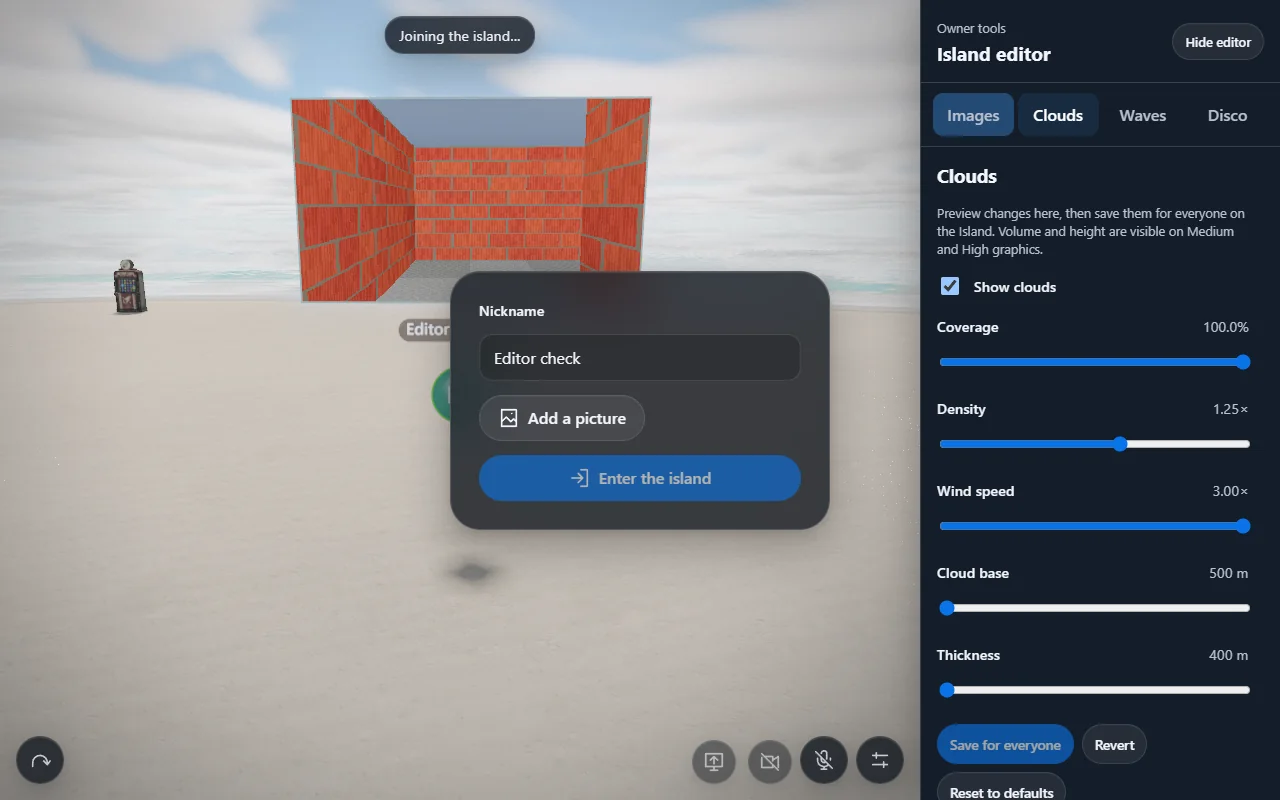
Unified editor layout
Images, Clouds, and Disco share one scrollable editor panel. It reserves room beside the island on desktop and below it on phones, and Hide editor restores the full view. Image editing keeps its automatic-save behaviour, while cloud settings retain their explicit shared-save action. The layout brings existing tools into one place without giving them identical save semantics.
WebXR exploration
VR remains the original roadmap's fourth stage. The intended experience includes first-person exploration, controller movement, teleportation, comfort settings, and spatial voice. Implementation and headset validation remain outstanding; this timeline does not assign a release date or present the desktop screenshots as evidence of working VR.
Water-drop avatars
A separate design proposes replacing the visitor bubbles with water-drop forms. That visual direction was deferred while pictures and voice were implemented. It remains a design proposal rather than a current avatar feature.
WebGPU renderer
The proposed water-drop work also included a move to a WebGPU rendering path with a fallback. The current effects described here use the existing Three.js/WebGL renderer. Volumetric clouds, refraction, and curling crests were added within that renderer; their presence does not mean the deferred WebGPU migration has occurred.